
Pen Edition
Best for Apple Pencil, S Pen or any stylus
- Feels like writing in a paper diary
- Lightest file, opens the fastest
- Great in GoodNotes, Noteshelf & Samsung Notes
Launch offer: ₹399 instead of ₹799 Pen + Typing PDFs included
Digital PDF · 2 editions · tablet & phone
Your lesson diary, attendance and marks registers, timetable and PTM records, all linked together. Write with a stylus or type with your keyboard: you get both versions.
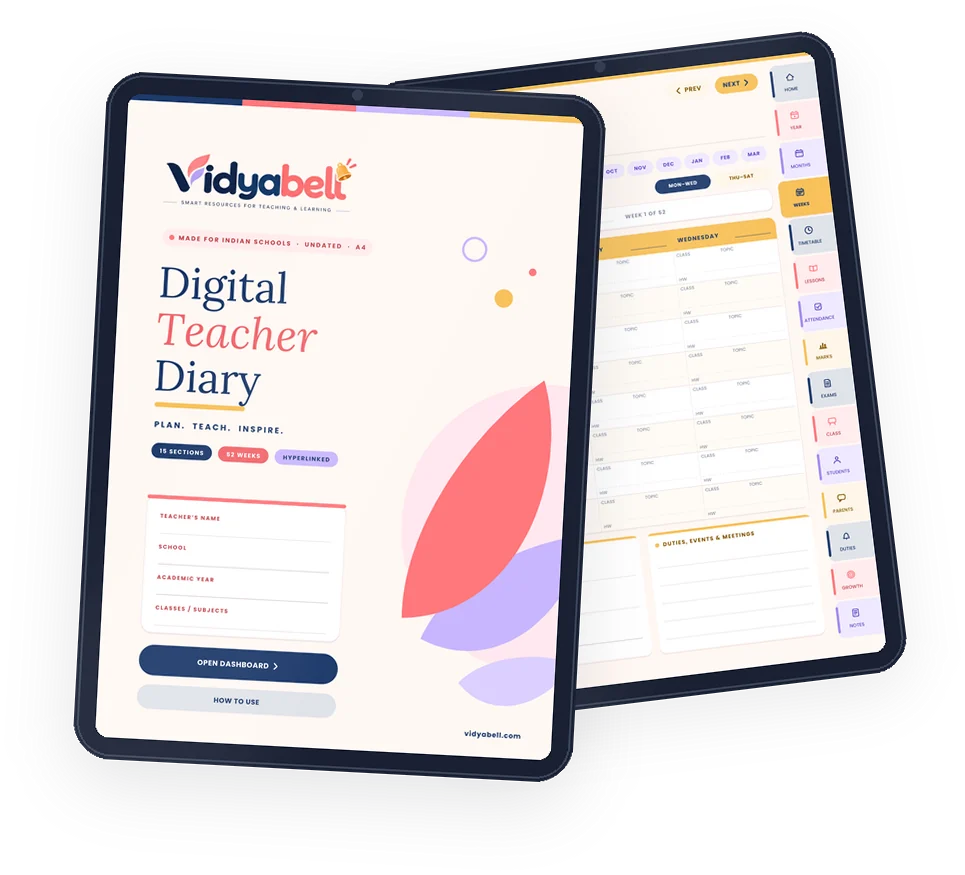
Please note: this is a digital product. You get 2 PDF files to download: a Pen Edition and a Typing Edition. No printed book is shipped.
Sound familiar?
The Vidyabell Digital Teacher Diary puts everything on your tablet, organised and one tap away.
One price, two PDFs
No stylus? No problem. Both editions have the same 284 pages and the same tap-to-jump links. Use the one that suits you, or both.
Best for Apple Pencil, S Pen or any stylus
Best for keyboard or phone keypad, no stylus needed
Both PDFs come in one purchase, at no extra cost.
30-second tour
Watch how the diary works: what is inside, how the tabs link every page together, and what you get.
Look inside
Tap any page to see it bigger.
What’s inside
284 pages for the whole school year, all linked together.
Quick links, school info, contacts, holiday list
Year at a glance, term planner, syllabus split-up, events, goals
April to March, a calendar and a plan page for every month
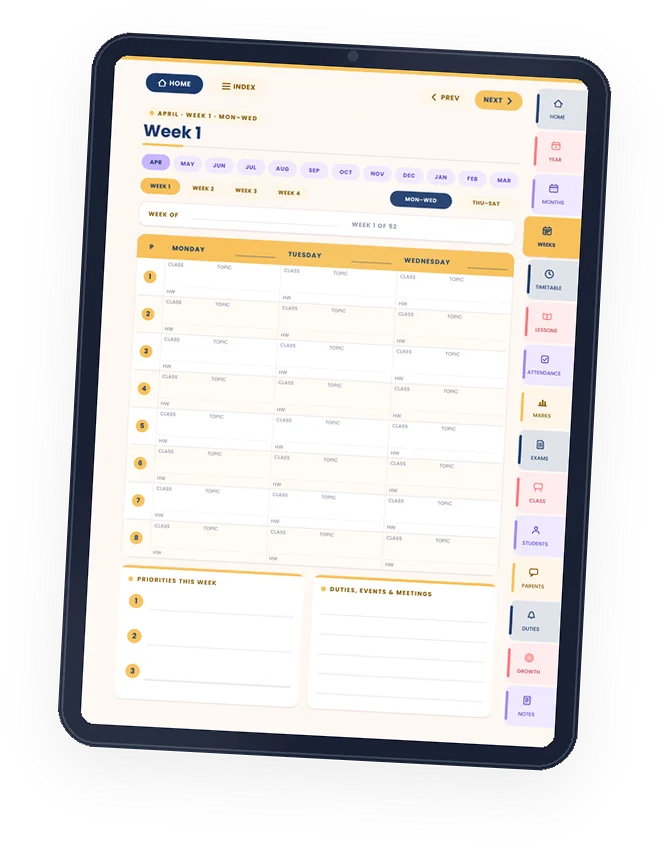
52 weeks, Mon–Sat, 8 periods a day with class, topic & homework
Your timetable, class timetable, bell schedule, free periods
5E lesson plans, unit plans, chapter tracker, homework register
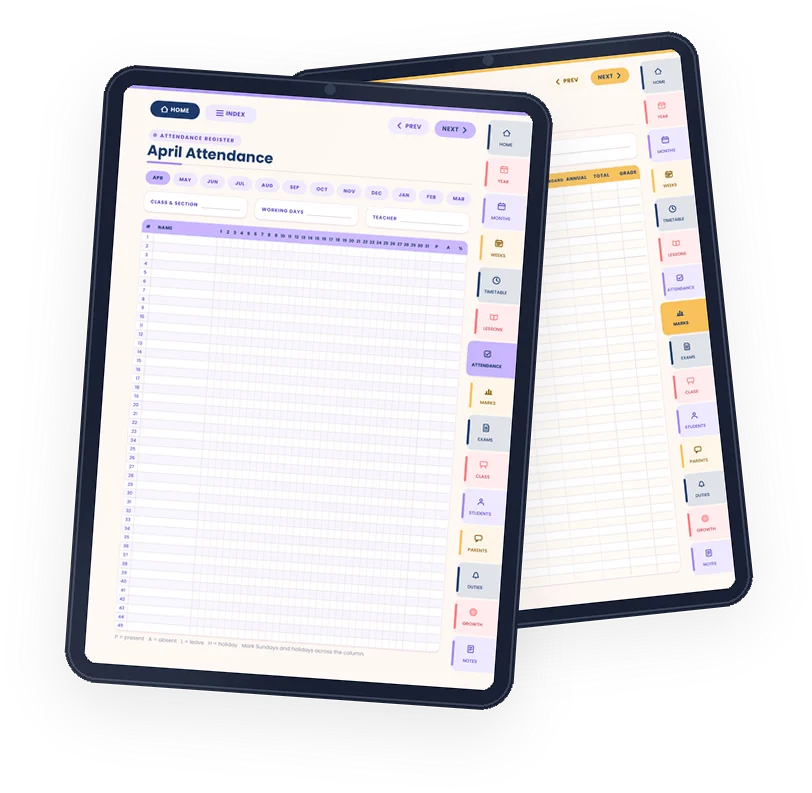
12 monthly registers for 45 students + annual summary
UT, Half-yearly & Annual marks, internal assessment, result analysis
Exam schedule, question paper blueprint, evaluation & invigilation
Class list, seating plan, birthdays, collections & forms
45 full student profiles with photo box, plus observations, achievements and learning support
PTM planner and records, parent communication log
Substitutions, duty roster, assembly, circulars, leave record
CPD hours log, certificates, professional goals, well-being
Lined, grid, dot-grid, blank, Cornell and meeting notes
Feature spotlight
Plan your week period by period, Monday to Saturday. 52 weeks, undated, so you can start any week of the year.
Feature spotlight
All your registers in one place, with room for 45 students in every one.
How it works
Pay on our secure checkout and download the Pen and Typing editions instantly.
Import it into GoodNotes, Noteshelf, Samsung Notes, Xodo or another PDF note app.
Write with a stylus or type with your keyboard, and tap any tab to jump. 8,000+ links connect every page.
Works with
and other PDF note apps. Tap-to-jump links work in apps that support PDF links.
Paper vs digital
Get your diary
You save ₹400 with the launch offer
Get instant accessSecure payment via Superprofile · UPI, cards & more
Digital PDFs. No printed book is shipped.
Questions before you buy? Chat on WhatsApp
Is it right for you?
Questions
No. This is a digital product: you get the diary as PDF files to download: a Pen Edition and a Typing Edition. No printed book is shipped.
iPad, Android tablets such as Samsung Galaxy Tab, Android phones, iPhones and computers. Use the Pen Edition on a tablet with a stylus, or the Typing Edition on any device to type with a keyboard or phone keypad.
Pen Edition: any PDF note-taking app, such as GoodNotes, Noteshelf, Samsung Notes, Xodo or Flexcil. Typing Edition: a PDF app that supports form filling, such as Xodo, Adobe Acrobat Reader or your phone’s built-in PDF viewer. The tap-to-jump links work in apps that support PDF links.
No. You get two editions. The Pen Edition is for writing with Apple Pencil, S Pen or any stylus. The Typing Edition has tap-to-type boxes on every line, table and register, so text lands neatly in place using your keyboard or phone keypad.
Both have the same 284 pages and links. The Pen Edition is lighter and opens fastest, best for writing with a stylus. The Typing Edition adds tap-to-type boxes, best if you do not have a stylus. You get both in one purchase.
Open the student profile page, tap your app's Insert image or Photo tool (GoodNotes, Noteshelf, Samsung Notes, Xodo and Flexcil all have one), pick the photo, then resize and drag it into the photo box. Crop photos small first to keep the file fast.
No, it is undated. You write the dates yourself, so you can start in any month and download a fresh copy for the next academic year.
Yes. It follows the April to March school year, has registers for 45 students, and includes Unit Test, Half-yearly and Annual marks, internal assessment, PTM records, substitutions and more.
Right after payment on our secure Superprofile checkout, you get a download link. Save the PDF to your tablet and open it in your note app.
The diary is A4 size, so you can print any pages you need for your own use. It is designed mainly for use on a tablet.
Each purchase is for one teacher. Please ask your colleagues to buy their own copy, which helps us keep making new resources.
Still have a question? Ask us on WhatsApp (chat only)
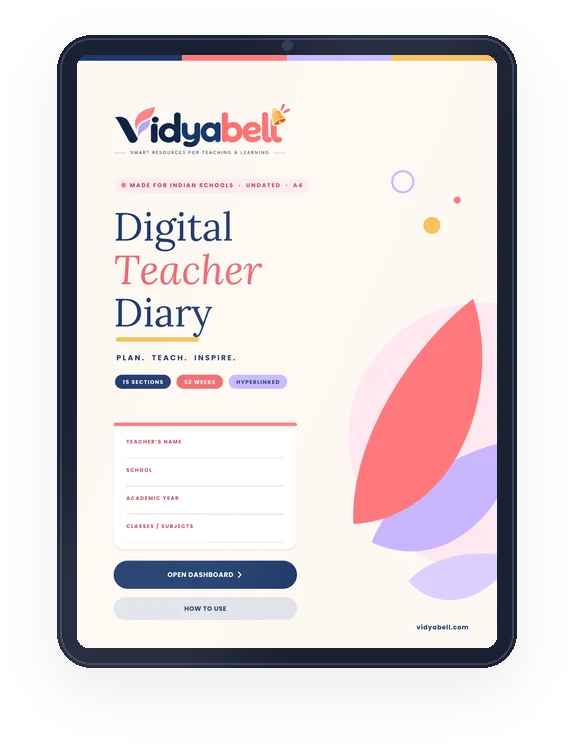
Everything you need to plan, teach and track, in one beautiful digital diary. Pen and Typing editions included.